
Last Updated: 2026-09-08
Plastic wipes clean, which is exactly why it rejects most prints. Printing on plastic works when the method matches the surface energy of the polymer, and five methods cover the industrial field. Here is how they compare, and why the substrate decides before the machine does.
The Short Answer
Five methods handle industrial printing on plastic, and each suits a different combination of material, volume, and permanence:
| Method | Best on | Watch out for |
|---|---|---|
| Inkjet coding | Variable data at line speed | Formulation must match the polymer |
| Laser marking | Permanent marks on rigid parts | Some plastics discolor or burn |
| Pad printing | Curved and recessed surfaces | Slower, tooling per artwork |
| Screen printing | Bold graphics on flat sheet | Not suited to variable data |
| Thermal transfer | Film, foil, and labels | Ribbon resolution limits fine codes |
The deciding factor is surface energy. Polyethylene and polypropylene are non-polar and low energy, so most fluids bead up and wipe away unless the formulation is designed for them or the surface is treated first. Rigid PVC, ABS, and polycarbonate accept a wider range of methods, which is why the same machine can succeed on one part and fail on another.
What to Know in Practice
Surface preparation changes outcomes more than equipment choice. Corona or flame treatment raises surface energy on films, and a wipe with a compatible cleaner removes mould release and dust that otherwise sit between the print and the substrate. Plants that skip this step blame the printer and change formulations, which rarely fixes the real cause.
Test the way the part will live. Print, allow full cure, then rub, flex, and expose samples to your cleaning or storage conditions before judging adhesion. A mark that survives a thumb rub but fails after a week in a stacked pallet has not passed, and stack pressure plus residual solvents is a common late failure.
Additives are the hidden variable. Slip agents and anti-block compounds migrate to the surface over time, so a formulation that worked on last year’s film can fail on this year’s roll. Keep a retained sample per material lot so you can tell whether the print or the plastic moved.
About SHICAI
SHICAI builds industrial coding and marking equipment across inkjet and laser lines, for production and warehouse use. Machines ship with genuine components and tested consumables, and service and spares are arranged for export markets. The technical team answers directly rather than through a reseller chain.
Related Questions
- Which ink sticks to polyethylene and polypropylene?
- Solvent-based and UV-curing formulations designed for polyolefins. Water-based fluids generally bead up on these low-energy surfaces unless the film has been corona treated.
- Is laser better than inkjet for plastic?
- For permanent marks on rigid parts, laser avoids adhesion questions entirely. For variable data on film and packaging at speed, inkjet is usually faster and cheaper per code.
- Why did my print wipe off plastic?
- Usually low surface energy, mould release residue, or handling before cure. Clean the surface, verify the formulation is rated for that polymer, and allow full cure before touching.
A Model Worth Looking At
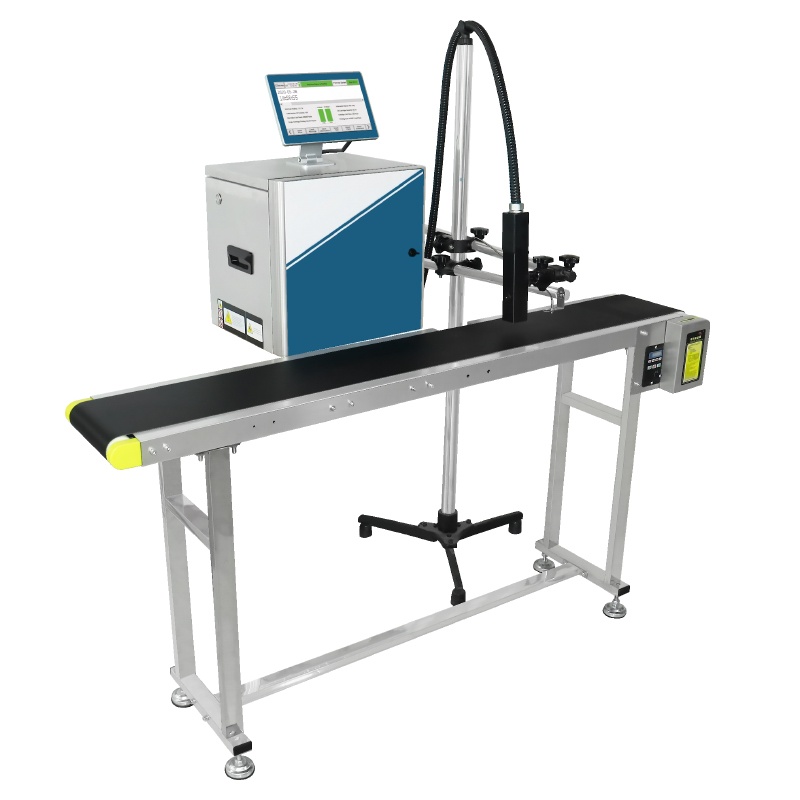
S1000 small character inkjet printer is built for this kind of work:
- Prints up to 400 Meters Per Minute
- 2-20mm print height
- 10.1-Inch Industrial Touchscreen
Click the image to see the product page.
Learn more about inkjet printing and ISO 9001 quality management.
Next Steps
- Read related FAQ guides on coding and marking basics.
- See the S1000 small character inkjet printer for speed and print-height options.
- Get a free sample print on your material. No commitment, reply within 24 hours.
Need help choosing the right printer?
Talk to our engineers for a free production-line assessment and quotation.
Request a Quote