
Choosing between laser markers means weighing beam source, marking field, software and after-sales support, not just wattage and price. The right unit marks your actual parts at your actual line speed for years without a surprise bill, while the wrong one sits idle after the first tricky material. This guide breaks down the four evaluation axes that separate a sound investment from a costly shelf-warmer.
The Short Answer
Four evaluation axes separate good laser markers from costly mistakes. Beam source and power come first. A 20–30 W fiber source handles most metal and plastic marking, CO₂ covers organics and glass, and UV suits heat-sensitive clear plastics. Confirm the source matches your material list, not the demo sample. Marking field and galvo speed set throughput: a 100–200 mm galvo field marks small codes in under a second, while a plotter trades speed for larger areas. Software decides daily usability: editable parameters, shift counters, DataMatrix and QR generation, and common file imports (PLT, DXF, CSV) turn a capable laser into a productive one. After-sales support is the axis buyers skip and regret: ask for service intervals, a parts list, and whether spares ship to your region before you commit.
In practice, laser markers are judged by total cost of ownership, not sticker price: a cheaper unit that waits three weeks for a spare lens costs more than a pricier one with local parts.
It also helps to know what laser markers are not: they are not a single machine that does everything. No one beam source marks every material well, so a clear material list up front prevents a costly mismatch.
What to Know in Practice
Routine evaluation keeps laser markers productive after purchase. Ask the builder for a sample mark on your actual material, not a polished demo plate, before you sign. Check whether the F-theta lens and protective window are user-replaceable or require a technician; factory dust and marking fume settle on optics and steal beam power long before the source ages. Request a documented service interval, a spare-parts list with prices, and a contact for technical questions that is not a reseller chain.
Whatever source you choose, budget for optic cleaning supplies, a spare protective window, and a source-life plan if the line runs two shifts. These running costs decide whether the unit marks for years or becomes the reason a batch ships late.
About SHICAI
SHICAI supplies fiber, CO₂, and UV laser markers for metal, plastic, and packaging traceability. The company ships to overseas factories, specifies genuine rated beam sources, provides documented service intervals and spare-parts lists, and arranges support for export markets. The technical team answers questions directly rather than through a reseller chain.
Related Questions About Laser Markers
- What should I look for when comparing laser markers?
- Match the beam source to your material list first, then compare marking field, galvo speed, software features, and after-sales support and spare-parts availability in your region, which is the step most often skipped.
- How much do laser markers cost?
- Pricing depends on the beam source, power, marking field, and software you need. We do not quote a fixed figure here. Contact our team for a current quotation.
- How do I keep laser markers running reliably?
- Clean the F-theta lens and protective window on a schedule, keep a spare window on the shelf, verify focus when parts change, and run a test mark at each shift start. Source life is long; optic cleanliness is the main variable.
Laser Markers Worth Looking At
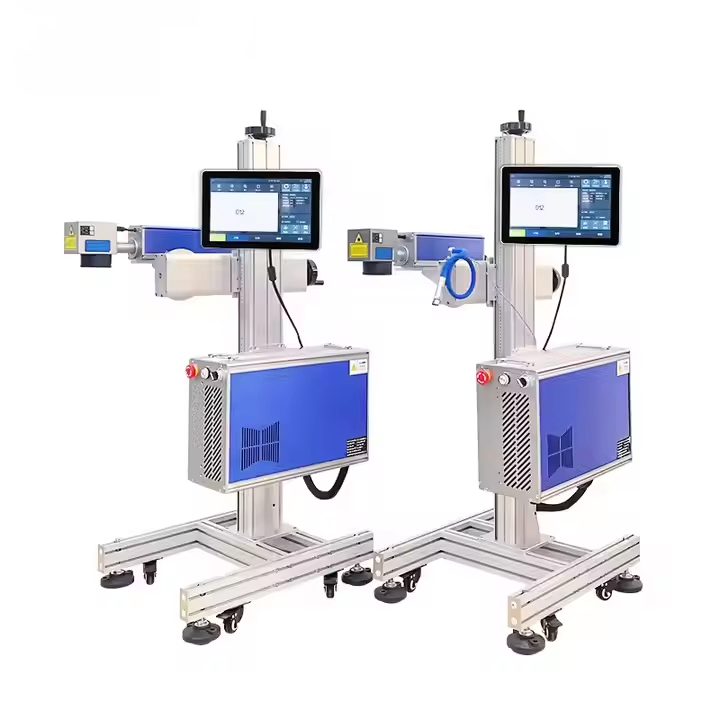
G-20 Fiber laser inkjet printer is built for this kind of work. Click the image to see the product page.
laser engraving technology See also: ISO 9001 quality management.
Need help choosing the right printer?
Talk to our engineers for a free production-line assessment and quotation.
Request a Quote