
Published 2026-09-10 · By the SHICAI technical team · Industrial marking & coding equipment guide
Last Updated: 2026-09-10
Marking and coding equipment is the group of machines that print variable data such as dates, lot numbers, barcodes and serials onto products and packaging as they move through production. It includes inkjet, laser, thermal transfer and print-and-apply units. Which one you need depends on the substrate and the speed of the line.
What the Term Covers
The names overlap because the job does. Coding is the narrow half: a date, a batch number, or an expiry printed onto packaging in the flow of production, usually with a message that changes every shift. Marking is the wider half, covering logos, part numbers, and permanent marks placed on the product itself rather than on the carton.
In practice, most factories buy one machine that does both. A single unit holds a message template with fixed text and variable fields, and the operator changes the date or the lot code from a controller instead of stopping the line.
The choice of technology follows the substrate, not the label on the machine, so the next section sorts the four families by the job each one does best.
The Four Families and Where Each One Fits
| Family | How it marks | Best fit |
|---|---|---|
| Continuous inkjet (CIJ) | Charged ink drops deflected onto the surface | High-speed lines, cartons, cans, cable, and curved surfaces |
| Thermal inkjet (TIJ) | Cartridge head fired on demand | Cartons and films at moderate speed, low maintenance |
| Laser | A focused beam alters the surface, no ink | Permanent marks on metal, plastic, and glass |
| Thermal transfer (TTO) | Ribbon pressed onto flexible film | Date and lot codes on pouches and labels |
Two variables decide between them. The first is the substrate: porous carton board accepts a fast-drying ink, while a coated film may need a ribbon or a laser. The second is line speed, because the head has to finish the mark in the time one product spends in front of it.
Duty cycle then settles the specification. A bench unit that runs two hours a day and a conveyor-mounted head that runs around the clock are different machines even when they print identical text.
How SHICAI Approaches It
SHICAI builds industrial coding and marking equipment for packaging and production lines, covering inkjet and laser families in bench, handheld, and conveyor-mounted formats. Machines are configured to the substrate and the code rather than sold as a fixed package, with consumables and spares organised for export markets.
A single representative unit shows what the category looks like in practice.
Product
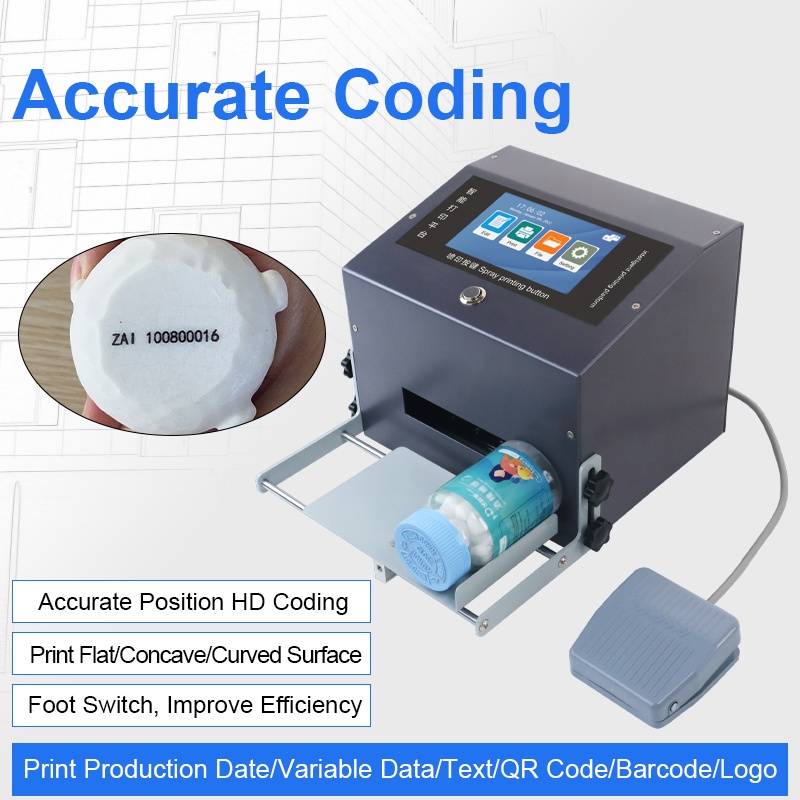
G12 Desktop inkjet printer
- 2-12.7mm print height
- 2-5mm throw distance
- Available in 7 ink colors
- Marks carton, plastic, metal, wood and pipe
A bench-mounted unit for short runs and mixed jobs, with a print height adjustable from 2 to 12.7 mm and a 2 to 5 mm throw distance that suits fixtures and jigs as well as small conveyors. Seven ink colors cover carton, plastic, metal, wood, and pipe.
Related questions
- What is the difference between marking and coding?
- Coding usually means variable data such as dates, lot numbers and serials applied to packaging in the flow of production. Marking covers the wider job, including logos, part numbers and permanent marks on the product itself.
- Do small workshops need this equipment?
- Often yes, if a customer or a regulator asks for a legible date or batch number. A single compact unit on a bench covers low-volume output that used to be hand-stamped or left unmarked.
- Which family is cheapest to run?
- Running cost depends on consumables and duty cycle rather than on the purchase price. Ink-based units cost less up front, while a laser unit removes consumables entirely but costs more to install.
Next Steps
- See the G12 Desktop inkjet printer for ink colors and print height.
- Read related FAQ guides on inks, codes, and line setup.
- Send us a sample of your substrate for free testing. No commitment, reply within 24 hours.
Learn more about inkjet printing and ISO 9001 quality management.
Need help choosing the right printer?
Talk to our engineers for a free production-line assessment and quotation.
Request a Quote