Last Updated: 2026-10-13
A mark that fades after six months costs a recall. A laser marking machine works by taking that risk off the table: a focused beam changes the surface itself, so the code becomes part of the part rather than a layer sitting on it. Four parts do the work.
How a Laser Marking Machine Works in Four Parts
Start at the source. A fiber laser turns pump light into a narrow beam at a fixed wavelength, and its rated output sets how fast a surface can be marked. A 20W unit marks a small metal part in a fraction of a second; a 100W unit does the same job on a heavier surface or a faster line.
The beam then meets a pair of steering mirrors. These move in two axes and position the spot anywhere inside the marking field, which is why a single unit can write a line of text, a data matrix or a logo without the part moving.
A flat-field lens brings the steered beam to a sharp focus on the work plane. Its focal length sets the size of the field and the width of the mark, so the lens has to be matched to the largest part the line will handle.
The fourth part is the control layer. Software converts the code into mirror positions and pulse timing, and it is what makes the mark repeatable from the first part to the ten-thousandth.
What Actually Decides Mark Quality
The physics rarely fails on its own. Three settings away from the machine settle whether a mark survives handling, wash-down and years in the field:
- Power and pulse overlap. Too little leaves a pale mark that fades; too much burns the surface and rounds small characters.
- Spot size. A shorter focal length gives a finer spot and a smaller field. Character height is set by this choice, not by software zoom.
- Surface condition. The mark on a machined face differs from the same mark on a cast or coated face, so a sample part is the only reliable test.
None of this is guesswork once a sample is in hand. The published description of laser marking covers the same interaction from the material side, and the traceability around it sits inside ISO 9001 quality management.
How SHICAI Sets Up a Fiber Unit
SHICAI builds fiber units around the four parts above, with one difference in practice: every machine leaves with a marking recipe written for the customer’s own part, not for a demo plate.
The unit below offers output from 20W to 100W and is air-cooled, so it runs a full shift without a chiller. Marks on metal need no consumables, which is the main reason a fiber unit pays for itself on parts that must stay legible.
Related Questions
- Does the mark wear off?
- On metal it does not, because the surface itself is changed rather than coated. Abrasion removes a printed layer but leaves an engraved mark readable.
- Can it mark a curved or uneven part?
- Yes, within the depth of focus of the lens. Beyond that the spot grows and the mark softens, so deep or stepped parts are usually marked in more than one pass.
- Is a fiber unit suitable for a fast line?
- Yes. Marking time is measured in milliseconds, so on most lines the unit keeps pace with a conveyor rather than setting the takt time.
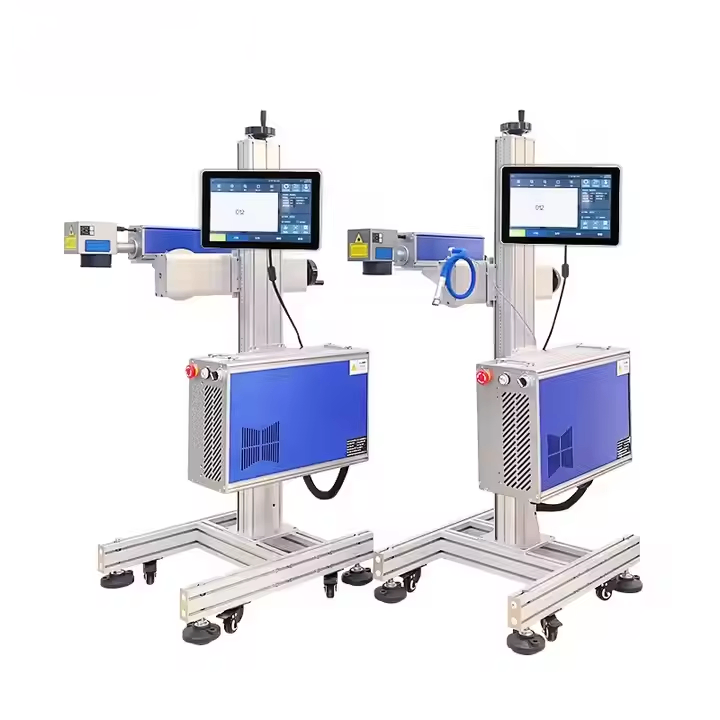
G-20 Fiber laser inkjet printer
a fiber unit built for permanent marks on metal:
- Fiber laser output options from 20W to 100W
- Permanent marks on metal without consumables
- Air-cooled design for continuous duty
- Marks hardware, electronics and metal parts
Send a Sample Part
- See the machine: G-20 Fiber laser inkjet printer
- Read next: how a continuous inkjet printer works, the contact-free option when the part cannot take a beam
- Talk to us: send one part and the character height you need through our contact page. We return a marking recipe and a no-commitment quote, free of charge.
Need help choosing the right printer?
Talk to our engineers for a free production-line assessment and quotation.
Request a Quote