
Last Updated: 2026-09-06
Small batches still need real codes, and a production line is overkill for them. A desktop inkjet printer is a benchtop industrial coder that prints dates, batch numbers, and logos onto products and packaging one at a time, without conveyor integration. Here is who actually needs one.
The Short Answer
A desktop inkjet printer is an industrial coder sized for a workbench rather than a production line. It uses the same fast-drying inks and print technology as line-mounted machines, but you position the product by hand, or feed it through a short table, and the printer marks it. That makes it the right tool for three situations: small batches and prototypes, products too large or awkward to convey, and QC stations that verify codes off the main line.
| Situation | Desktop fits? |
|---|---|
| Pilot runs and samples | Yes, no line integration needed |
| Large or irregular items | Yes, hand positioning |
| High-speed continuous flow | No, use a line coder |
| QC and code verification | Yes, as a bench station |
The category is often confused with office desktop printers. The difference is the ink chemistry, the duty rating, and the ability to mark film, metal, and coated board rather than paper, which is why the two never substitute for each other.
What to Know in Practice
Choose by print length and ink, not by footprint. A benchtop unit with a 10 cm print length covers most date and batch codes; longer messages need a wider carriage or multiple passes. Match the ink to the surface, because the same machine can mark cartons and glossy film only if you have both formulations on hand.
Treat the machine like production equipment, not office hardware: cap or cycle the head between runs, keep consumables in date, and print a test code before each batch. Skipped shutdown routines are the usual reason a benchtop coder refuses to print on Monday morning.
About SHICAI
SHICAI builds industrial coding and marking equipment across inkjet and laser lines, for production and warehouse use. Machines ship with genuine components and tested consumables, and service and spares are arranged for export markets. The technical team answers directly rather than through a reseller chain.
Related Questions
- Is a desktop coder the same as an office printer?
- No. Industrial desktop coders use fast-drying solvent or UV inks on film, metal, and board, and are rated for repeated production use rather than paper documents.
- Can a desktop coder handle high volume?
- It can mark continuously at a bench pace, but for hundreds of units per minute a conveyor-integrated line coder is the right tool.
- What can it print besides dates?
- Batch and lot numbers, serials, small logos, and barcodes, within the machine’s print length and resolution limits.
A Model Worth Looking At
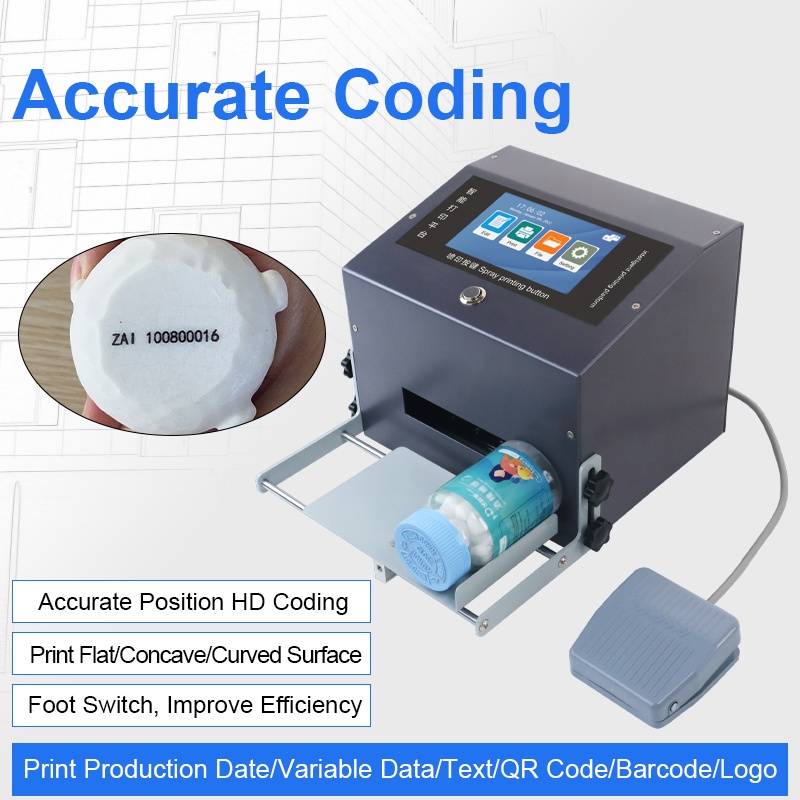
G12 Desktop inkjet printer is built for this kind of work:
- 2-12.7mm print height
- 2-5mm throw distance
- Available in 7 ink colors
- Marks carton, plastic, metal, wood and pipe
Click the image to see the product page.
Learn more about inkjet printing and ISO 9001 quality management.
Next Steps
- Read related FAQ guides on coding and marking basics.
- See the G12 benchtop coder for full specifications.
- Get a free sample print on your material. No commitment, reply within 24 hours.
Need help choosing the right printer?
Talk to our engineers for a free production-line assessment and quotation.
Request a Quote