Last Updated: 2026-11-18
Nine out of ten buying conversations start with a brand and end with a position on the line. The inkjet printer best suited to a conveyor is often the wrong one for a bench, and the parameters that separate them are printed on every sheet.
What Makes an Inkjet Printer Best on One Line
Position decides everything else. A head over a conveyor needs a throw distance, a bracket and a trigger. The same head on a bench needs none of those, and pays for the parts it does not use.
So the useful order is position first, print height second, material third, and brand last. Every build below is a different answer to that first question, and the price difference between them is mostly the answer.
Build One: The Bench Unit That Codes by Hand
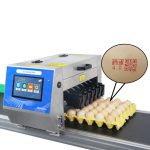
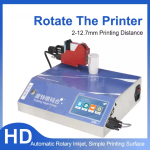
A bench unit sits beside a packing table and the operator moves the product, not the machine. Two to 12.7 mm of print height covers a date, a batch and a lot line, and a 2 to 5 mm throw prints by hand without touching the surface.
This is the build that makes sense under a few hundred codes a day. Above that the operator becomes the bottleneck, and no setting on the machine changes it.
Build Two: The Online Coder at the Conveyor
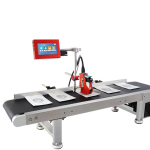
Mount a head over a moving line and the machine inherits the line speed. A unit rated to 400 metres per minute is the difference between a code that lands square and one that smears along the direction of travel.
The trigger is the part buyers forget. A photocell that fires late shifts every code downstream, so the inkjet printer best matched to a conveyor is the one whose bracket and sensor arrive with it rather than after it.
Build Three: The Small Character Line Unit
Small character work means a tall print range on a narrow footprint. Two to 20 mm of height and a 3 to 30 mm throw cover pipe, cable and cartons from one position, and the power draw stays low enough for a single circuit.
This class also carries the interfaces that matter at integration time. USB, RS232 and a network port are what let a line controller send a serial number or a QR payload without a person typing it.
Build Four: The Multi-Head Frame
When one head cannot cover the width, the answer is a frame with two or more heads on one controller. Each head adds its own print height to the covered band, and the frame becomes the unit that has to be aligned rather than the product.
The trade is maintenance. Four heads mean four gaps to check and four purge points, so a wide frame is only cheaper when the alternative is stopping the line for a second pass.
Build Five: The Curved-Surface Head
A round part needs the head to follow an arc or the part to rotate past it. Seven ink colours matter more here than on a carton, because a logo and a code share one pass, and metal takes a different ink from paper.
Ask which colours are specified for the material before the order. A head that prints well on foam may need a different ink family on a polished tube, and the sheet will not tell you that on its own.
The Comparison Table
| Build | Print height | Throw | Where it sits | Suits |
|---|---|---|---|---|
| Bench | 2-12.7 mm | 2-5 mm | Beside a table | Low volume, mixed products |
| Online | Up to 20 mm | 3-30 mm | Over a conveyor | One product, steady speed |
| Small character | 2-20 mm | 3-30 mm | Bracket on a frame | Pipe, cable, carton |
| Multi-head | Adds per head | 2-5 mm per head | Gantry over the band | Wide or multi-lane |
| Curved-surface | 2-12.7 mm | Set by the fixture | On a rotating fixture | Tubes, caps, round parts |
Read the table down the throw column first. A build whose throw cannot reach your product is out before height, speed or price enters the conversation, and that removes most of a shortlist in one line.
Questions Buyers Ask First
- Can one build do a bench and a conveyor
- Sometimes, with a bracket and a sensor added. The print height range is the limit, so check that the same unit covers both products before assuming one machine replaces two.
- How much print height do I need
- Measure the tallest block of text you will print, not the widest. A date plus a batch plus a lot line is usually under 13 mm, and asking for 20 mm adds cost for space you will not fill.
- Does the interface matter at this stage
- Yes, if a controller will send the data. USB, RS232 and a network port decide whether the code is typed by a person or sent by the line.
Send the Line, Not the Model
Send a photo of the position, the line speed and the tallest text block. We return the build, the bracket and the throw setting, so the answer is a position rather than a preference.
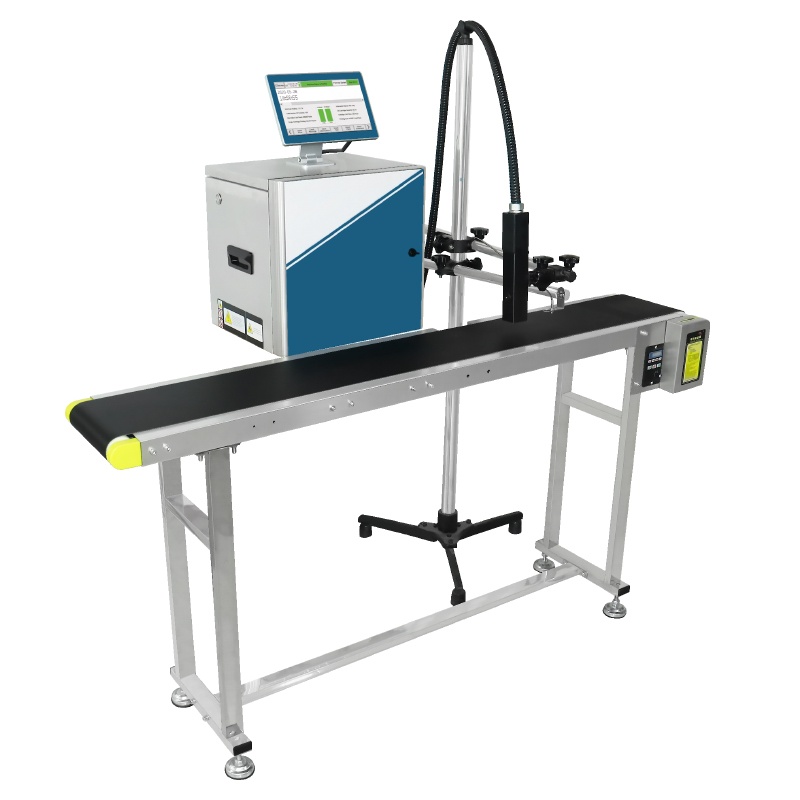
S1000 small character inkjet printer
the line unit behind several builds above:
- Prints up to 400 meters per minute
- 2-20 mm print height
- 10.1-inch industrial touchscreen
- 3-30 mm throw distance
- Low 120W rated power
One caution before the shortlist closes. A wide print range and a fast line speed rarely arrive together in the cheapest cabinet, and a quotation that lists both without a model number is worth a second question.
Position is the frame for everything else, and the background on inkjet printing explains why the throw band is so narrow. Export builds are checked against ISO 9001.
Next Steps
- If the position is a round part: parts per minute, not metres.
- Start at the contact page, on +86 17625427465 or kuangcy@126.com. We reply within 24 hours.