Last Updated: 2026-11-19
The inkjet vs laser printer argument is usually settled by whoever is selling. It is actually settled by the surface: one technology writes on it, the other changes it, and a handful of marks can only be made one way.
Inkjet vs Laser Printer: The Question Is the Substrate
An inkjet head puts material onto a surface. A laser changes the surface itself, by removing a layer or altering it. Neither is better in the abstract, and the choice stops being difficult once the material is named.
So run the material list first and the machine list second. A plant printing on corrugated and shell has one answer; a plant marking stainless fittings has another; a plant doing both has two positions on the line rather than one compromise.
Where Ink Wins, and Why
Paper, corrugated and film cannot take a laser mark without damage. A laser on a thin carton burns through or leaves a brown edge, and on a shrink film it can cut the web. An inkjet head prints on those surfaces at line speed without touching them.
Shell is the clearest case. A food-grade ink can sit on an eggshell in contact with the product; a laser mark on a shell is a burn on a food surface, which is why egg coding runs on ink rather than on light.
Where a Mark Is Permanent
Stainless, anodised aluminium and some coated metals hold a laser mark that survives solvent, abrasion and a wash line. An ink mark on the same part can be removed with the right cloth, which matters when the code is a warranty claim rather than a batch note.
That is the honest trade. If the part goes through a solvent wash after coding, an ink code needs a tested ink and a cure time, and a laser needs nothing but power. Ask which one your process actually allows before pricing either.
The Consumable Model on Each Side
An inkjet build carries ink, and on some families a make-up fluid, plus the cleaning routine that keeps a nozzle open. A laser build carries no ink and instead carries a source with a rated life and a chiller or air path on higher powers.
Both models have a per-mark cost, and they land differently. Ink scales with the area printed, so a long code on a large label costs more; a laser scales with time, so a dense code at low power costs more minutes rather than more material.
Speed, and Where It Stops Mattering
Both technologies outrun most packaging lines. A head rated to several hundred metres per minute and a laser marking at high speed are both faster than the filler upstream, so speed rarely decides the purchase on its own.
Where it does matter is at the extremes: a very dense code at high line speed pushes an ink build toward a larger head, and a deep engraving pushes a laser toward more power and a slower pass. Ask for the rate at your code density, not the headline figure.
Five Marks Only One Technology Makes
| Mark | Surface | Only | Reason |
|---|---|---|---|
| Food-contact date | Eggshell | Ink | A burn on a food surface is not an option |
| Date on a shipper | Corrugated | Ink | A laser burns through or scorches the board |
| Code on shrink film | PE film | Ink | Heat cuts the web before it marks it |
| Wash-proof serial | Stainless | Laser | Survives solvent that removes ink |
| Two-colour brand block | Carton | Ink | A laser writes one tone, not a colour set |
Read the table by row against your own product list. Most plants find three rows in one column and two in the other, which is the moment the single-machine plan usually falls apart and a two-position line starts to look cheap.
Questions Buyers Ask First
- Can a laser mark a carton at all
- At low power it can scorch a coated board, and that mark is a burn rather than a print. On uncoated corrugated it usually penetrates, so the answer depends on the board rather than on the laser.
- Does ink need curing on metal
- Often yes, and the cure time is part of the process rather than an accessory. Ask for the ink reference and the cure condition together, because one without the other is not a specification.
- Which one costs less per code
- Neither, without the volume. Ink scales with printed area and laser with marking time, so the cheaper side flips between a short code at high volume and a dense code at low volume.
Send the Substrate, Not the Preference
Send the material list, the code size and the annual volume. The inkjet vs laser printer answer follows from those three numbers, and it comes back as the rows of the table your product falls into.
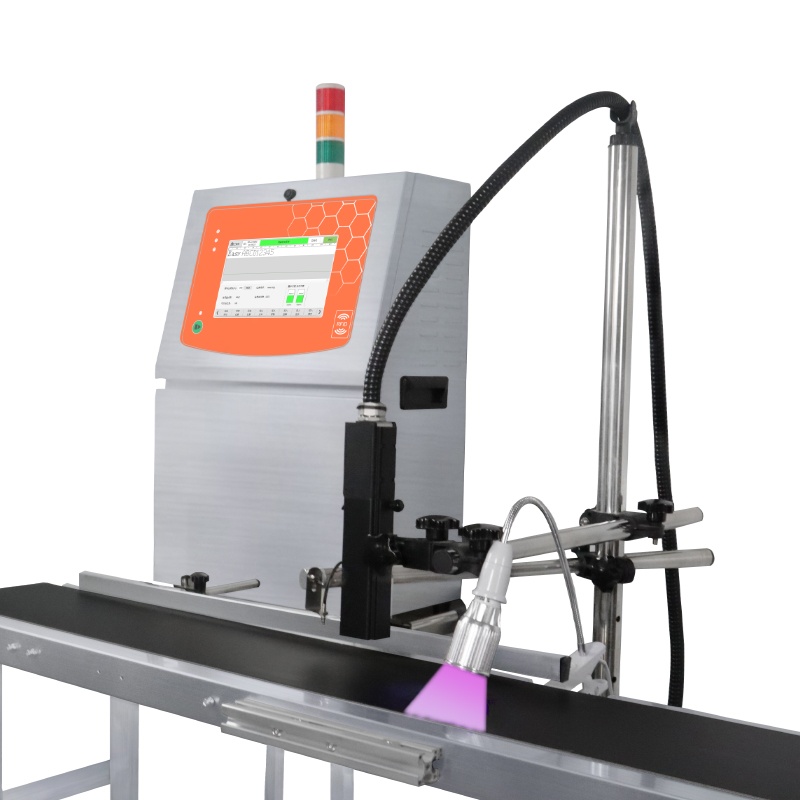
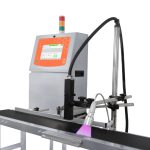
Anti counterfeiting small character inkjet printer
the ink side of the comparison, on carton and film:
- 2-20mm print height
- 3-30mm throw distance
- Low 150W rated power
- Prints text, date, pattern, dynamic barcode and QR code
- Marks carton, plastic, metal, wood and pipe
We build the ink side of this comparison, so treat the laser columns as the case against us rather than as a product we will quote. A supplier who cannot argue the other side is not helping you choose.
The background on both methods sits under laser marking and inkjet printing, and export builds are checked against ISO 9001.
Next Steps
- If the material is metal and round: parts per minute, not metres.
- Start at the contact page, on +86 17625427465 or kuangcy@126.com. We reply within 24 hours.