
The difference between a laser marking machine vs engraver is depth and intent, not just wattage. A marking machine lays a permanent, readable trace such as a serial number, a data matrix or a date code on a surface, usually under 0.1 mm deep, so the part stays dimensionally intact. An engraver cuts a groove 0.5 mm or deeper for logos, nameplates or decorative text that you can feel with a fingernail. Both use a focused beam; the difference is how much material they remove and why.
The Short Answer
Four differences separate a laser marking machine from an engraver. Mark depth is the clearest: marking leaves a surface-level trace (anneal, ablate, or foam) typically under 0.1 mm, while engraving cuts a groove 0.5 mm or deeper that you can feel and catch a fingernail on. Power and speed are the second: a 20–30 W fiber source marks metal cleanly in one pass; deep engraving on the same metal often needs 50 W or more and multiple passes, which means slower throughput. Intent is the third: marking exists for traceability, covering serials, batch codes and 2D barcodes a customer can scan, while engraving exists for permanence and visibility, such as nameplates, brand logos and serial plates. Material effect is the fourth: marking changes surface colour or a thin layer without weakening the part; engraving removes material, which can affect thin-walled or structural components.
In practice, the choice is about what the job needs: a traceability code wants a marking machine; a cast metal nameplate wants an engraver. Some systems do both by swapping parameters, but a dedicated tool is faster and cleaner at its main job.
It also helps to know what a laser marking machine vs engraver is not: the line blurs at the middle, because a high-power marker can engrave shallow grooves and a low-power engraver can mark surface codes. Specify the job first, then the machine.
What to Know in Practice
Routine care is similar for both. The F-theta lens and protective window collect factory dust and marking fume on either machine, and a dirty optic steals beam power before the source ages, which is more critical on an engraver, where a weak beam means a shallow, uneven groove. Inspect and clean optics weekly on daily-running units, verify focus with a test mark when the part height changes, and keep a spare lens and window on the shelf. Stable power and fume extraction prevent most downtime on both types.
Whichever you choose, budget for optic cleaning supplies, a spare protective window, and a source-life plan for two-shift engraving. Removing material is harder on the beam path than changing surface colour, so running costs track with depth.
About SHICAI
SHICAI supplies laser marking machines built for traceability codes on metal, plastic and electronics rather than deep engraving nameplates. The company ships to overseas factories, specifies genuine rated fiber sources, and arranges service and spares for export markets. The technical team answers questions directly rather than through a reseller chain.
Related Questions About Laser Marking Machine Vs Engraver
- What is the main difference between laser marking and engraving?
- Depth. Laser marking leaves a surface-level trace under 0.1 mm (anneal, ablate, or foam) that keeps the part intact; engraving cuts a groove 0.5 mm or deeper that you can feel with a fingernail.
- Can one machine do both marking and engraving?
- A high-power fiber marker can cut shallow grooves, and a low-power engraver can mark surface codes, but each is faster and cleaner at its main job. Specify the depth and intent you need first.
- How do I keep a laser marking machine or engraver running reliably?
- Clean the F-theta lens and protective window on a schedule, verify focus when parts change, and run a test mark at each shift start. Optic cleanliness matters more on an engraver, where a weak beam means a shallow groove.
Laser Marking Machine Vs Engraver Worth Looking At
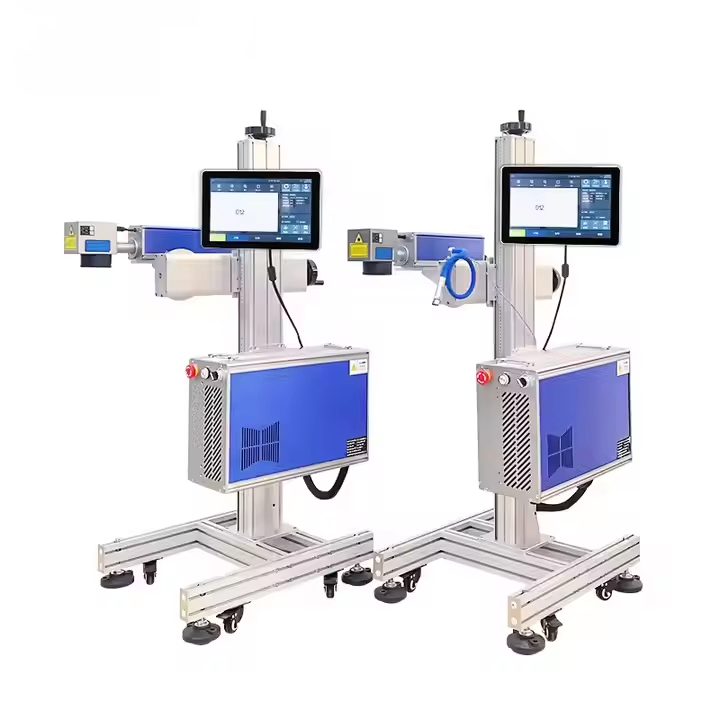
G-20 Fiber laser inkjet printer is built for this kind of work. Click the image to see the product page.
laser engraving technology See also: ISO 9001 quality management.
Need help choosing the right printer?
Talk to our engineers for a free production-line assessment and quotation.
Request a Quote