Last Updated: 2026-10-11
A belt that runs faster than the head can code leaves the last item of every shift blank. Sizing a conveyor for inkjet printer work comes down to belt speed and the gap between items rather than footprint, and five rules settle both before the frame is ordered.
What a Conveyor for Inkjet Printer Line Has to Decide
On a moving line the print window is a fraction of a second. The belt sets how long the item stays under the head, how level it is when the code lands, and how far it has travelled by the time the ink sets.
This is why the frame is specified around speed and gap rather than length. A belt drawn out to twice the necessary length only adds floor space, while one that is too short never lets the item reach a steady speed before it meets the head. The relationship between belt speed, pitch and dwell is the same one covered in general conveyor system references, and the record the code produces is checked against ISO 9001 quality management in most buyer audits.
Two Lines It Serves
Most belt work falls into two shapes:
- Single-lane packing. One item at a time crosses the head, with the gap set by the infeed rather than by an operator, so the code lands at the same pitch on every pack.
- Sheet and tag runs. Flat stock is separated upstream and carried at a steady rate, which is what lets a head hold the same corner position across a run.
Both shapes are judged on the same measure, which is whether the hundredth item is coded as cleanly as the first.
Five Sizing Rules
Order these before the frame is built, not after it is installed.
| Rule | What it settles | What it prevents |
|---|---|---|
| Set belt speed to the print window | How long the item stays under the head | A code stretched at the fastest setting |
| Match pitch to the infeed | The gap between items | A trigger that fires on air |
| Add a settling length after the head | Distance for the ink to set | Smearing where items are stacked early |
| Keep the belt flat at the head | A level surface on the print line | A code that thins on one side |
| Fit a speed sensor to the drive | Trigger timing at any speed | A code that drifts when the line is slowed |
The first rule and the last carry most of the risk, because both involve speed changing after commissioning. A line that is slowed for a small order will shift every code unless the trigger reads the drive.
How SHICAI Sizes One
SHICAI supplies paging conveyors to export packers and sets each frame against the item the customer runs. Belt speed is set to the print window rather than to the maximum the motor allows, and the trigger sits on the leading edge so a coding conveyor belt does not drift with the gap.
The conveyor for inkjet printer frame on this line runs from 5 to 110 m per minute on stainless steel that draws 120 W, with friction paging that separates sheets rather than pushing a stack. It handles flat stock from 60 to 320 mm long and 0.02 to 5 mm thick.
Sizing Questions
- How long should the conveyor be?
- Long enough to bring the item to line speed before the head and to let the code set after it. Extra length past that point adds floor space, not accuracy.
- Does belt speed have to match the line?
- The belt should carry the item at the rate the head was set for. A belt that outruns the print window stretches the code even when every other setting is correct.
- Why does the code drift between packs?
- Usually because the sensor is timed off the tail of one item while the head is set for the head of the next. Re-aiming the sensor at the leading edge corrects more of it than any change to the print settings.
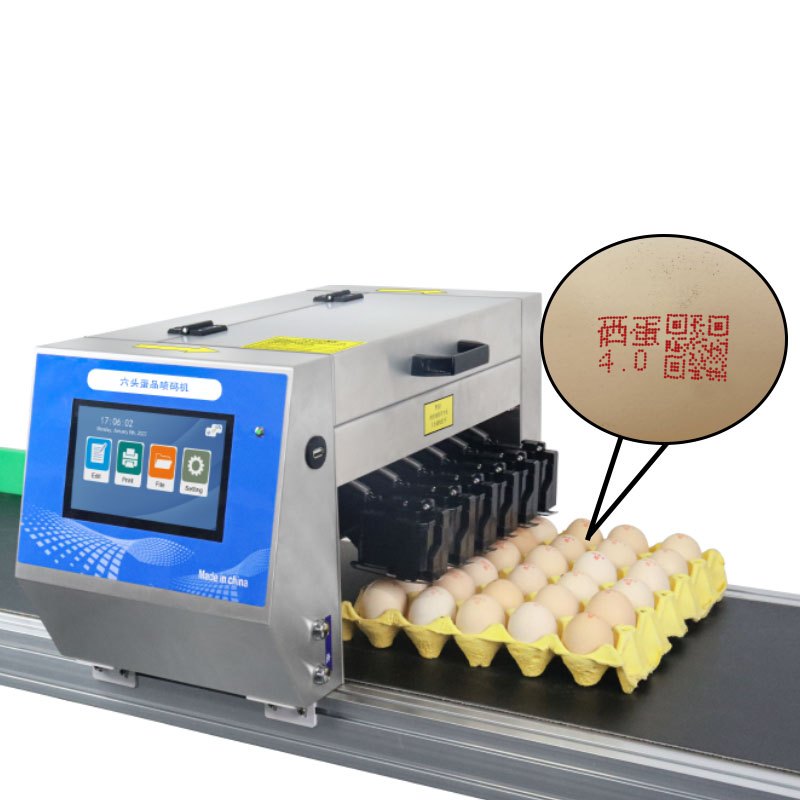
S350 Pagination conveyor
a stainless frame sized to the print window:
- Conveyor speed 5-110 m/min
- Friction paging separates sheets reliably
- Stainless steel frame, 120W power draw
Size Your Own Line
- See the machine: S350 Pagination conveyor
- Read next: when a coding conveyor is worth adding, which sets the infeed shape
- Talk to us: send your belt speed and item pitch through our contact page. We come back with the frame length and sensor position that suit your line, at no cost.