Last Updated: 2026-09-28
A QR code that will not scan at the receiving depot is worse than no code, because the crate is opened and the paperwork is wrong. A handheld QR code printer succeeds on four conditions at once: module size the scanner can resolve, contrast against the surface, an ink grade that sets before handling, and a steady pass.
Handheld QR Code Printer Rejections: Why a Code Fails to Scan
A QR symbol is a grid of dark modules on a light field. A scanner does not read the data, it reads the grid, and it fails when modules merge, when contrast is too weak, or when the symbol is smaller than the camera can resolve at its working distance. Handheld printing adds one more variable: the pass speed and angle are decided by the operator, so a symbol that was legible on the test sheet can smear on the tenth crate.
Where a Portable QR Earns Its Keep
Pallet and case symbols are the common job. Goods arrive without the code a customer now asks for, a rework order needs a fresh serial, or a batch has to be split after packing. None of that justifies stopping a line, which is why the portable frame exists: the code is printed where the problem is found, and the data can change per pack rather than being fixed on a plate. Traceability work is the other case: one code per pack ties a crate back to a customer record, which is why the data question is a coding question rather than a labelling one.
Four Rules for a Code That Reads
| Rule | What to check | K3S figure |
|---|---|---|
| Module size | Symbol height against the smallest scanner distance | 2-12.7mm print height |
| Contrast | Dark module density on your surface | 300-600dpi print accuracy |
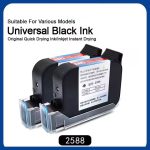
| Ink grade | Porous, coated or food contact | food-grade/water-based/oil-based/42ml ink cartridge ink |
| Data | Fixed link or one code per pack | Prints Chinese and English characters and dynamic QR codes |
Check them in that order. If the symbol is too small for the distance, nothing else can rescue it. Contrast and grade then decide whether the mark survives transit, and the data question decides whether the code is worth scanning at all. The structure of a QR symbol sets the module floor, while ISO 9001 quality management is what makes the check a recorded step rather than an opinion.
How SHICAI Approaches It
SHICAI builds portable and inline coding equipment for export markets, and a handheld QR code printer request is answered with a scan test rather than a datasheet. Send the pack and tell us where the code has to be read. We print the symbol on your surface, scan it at the working distance you actually use, and set the ink grade from that result.
QR coding questions
- Can a handheld coder print a scannable QR code?
- Yes, provided the symbol is printed large enough for the module size the scanner has to resolve. The K3S prints 2-12.7mm and handles dynamic QR codes, so the symbol can grow with the block.
- Does a printed QR code need different ink?
- It needs the same ink the surface demands, and a code that will not smudge before it is read. The K3S runs food-grade, water-based and oil-based 42 ml cartridges, chosen by the surface rather than by the symbol.
- Should the QR data be fixed or changing?
- Changing data turns a code into a trace. A dynamic QR printed per pack carries the serial or lot behind it, which is what makes the scan useful after the goods have left the site.
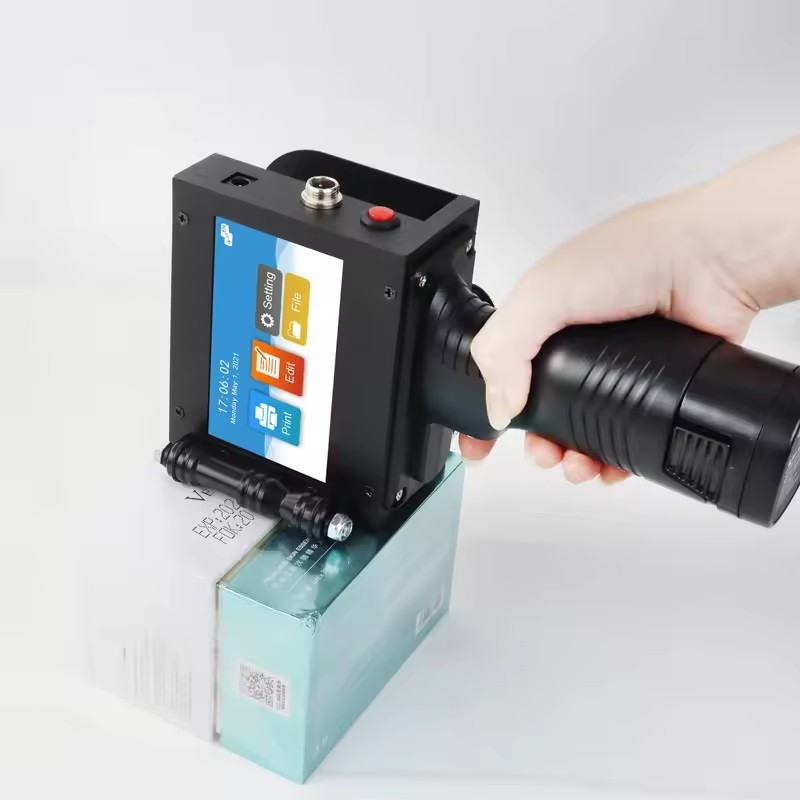
K3S Handheld inkjet printer
the portable frame for this job:
- Prints Chinese and English characters and dynamic QR codes
- 2-12.7mm print height
- 300-600dpi print accuracy
What to do next
- See the product: K3S Handheld inkjet printer
- Read next: five methods for printing QR codes on products.
- Talk to us: send a pack through our contact page and we print and scan your symbol free of charge, replying within 24 hours.