Last Updated: 2026-09-11
There is no single best barcode printer, because the answer changes with the surface and the life of the code. High-resolution inkjet wins on cartons and labels at speed, laser marking wins where the code must survive years of handling, and thermal transfer wins on flexible film. Five technologies cover the field, and the matrix below decides between them.
Comparison Matrix
The five technologies that print scannable barcodes in industrial settings, compared on the dimensions that actually decide a purchase:
| Technology | Resolution | Speed | Running cost | Best on |
|---|---|---|---|---|
| High-resolution TIJ | High, fine modules | Moderate | Consumables per code | Cartons, labels, board |
| CIJ continuous | Standard | High | Fluids and filters | Bottles, cans, curved stock |
| Piezo inkjet | High, wide format | Moderate | Moderate, coverage-based | Large codes, cases |
| Laser marking | Very high | High | Near zero | Metal, rigid plastic parts |
| Thermal transfer | High | Moderate | Ribbon per print | Film, foil, synthetic labels |
Read the matrix against your substrate first and your speed second. A technology that is excellent on kraft board can be unusable on coated film, and no amount of speed recovers a code that will not scan. The barcode printer best suited to your line is the one whose column matches your material, not the one with the highest specification.
Technology by Technology
High-resolution thermal inkjet is the default for cartons, cases, and paper labels. Resolution is high enough for small modules, setup is simple, and the consumable is a replaceable unit rather than a fluid system. The limit is surface: porous stock works well, coated and glossy stock needs a formulation made for it.
CIJ continuous inkjet handles the fastest lines and the hardest shapes, including curved glass, cans, and extruded profiles, because the head prints at a short distance without touching the product. It carries a fluid system with pumps, filters, and scheduled service, so the running cost is higher and the maintenance routine is real rather than occasional.
Piezo inkjet sits between the two on width and resolution. It suits large codes, logos alongside barcodes, and applications where a wide print height matters more than raw line speed.
Laser marking produces the most durable codes, changing the material surface rather than depositing anything on it, so there are no consumables in the marking process and nothing to rub off. It is the choice for metal parts, tooling, and any code that must outlive the product’s packaging. The trade-off is entry cost and material fit: the wavelength must be matched to the substrate, and some materials mark poorly or not at all.
Thermal transfer prints through a heated ribbon onto film, foil, and synthetic label stock. It produces sharp, dense codes on flexible packaging where liquid methods struggle, and the ribbon is consumed as it prints, so cost scales directly with coverage.
Decision Checklist
Work down this list in order. Each answer eliminates technologies, and by the fourth question the shortlist is usually one or two options:
| Question | It decides |
|---|---|
| What is the substrate? | Porous stock points to inkjet; film and foil point to thermal transfer; metal points to laser |
| How long must the code last? | Distribution life suits inkjet; product life suits laser |
| How fast is the line? | Very fast lines narrow the field to CIJ or laser |
| How small is the code? | Small modules need high resolution, which rules out standard CIJ |
| What is the volume? | High volume favours low running cost, which favours laser over consumable methods |
Then verify rather than assume. Print your actual barcode, at your actual size, on your actual material, and check it with a scan grader after the handling and storage it will experience. The barcode printer best for a competitor’s line can fail on yours for a reason no datasheet shows, and a sample run costs almost nothing compared with a shipment held at a distribution centre.
Where the answer is close between two technologies, total cost decides. Compare the machine price, the installed price, and consumables at your volume over a year. A method that is cheaper to buy but costlier per thousand codes usually overtakes the alternative inside the first year.
Two Configurations Worth Comparing
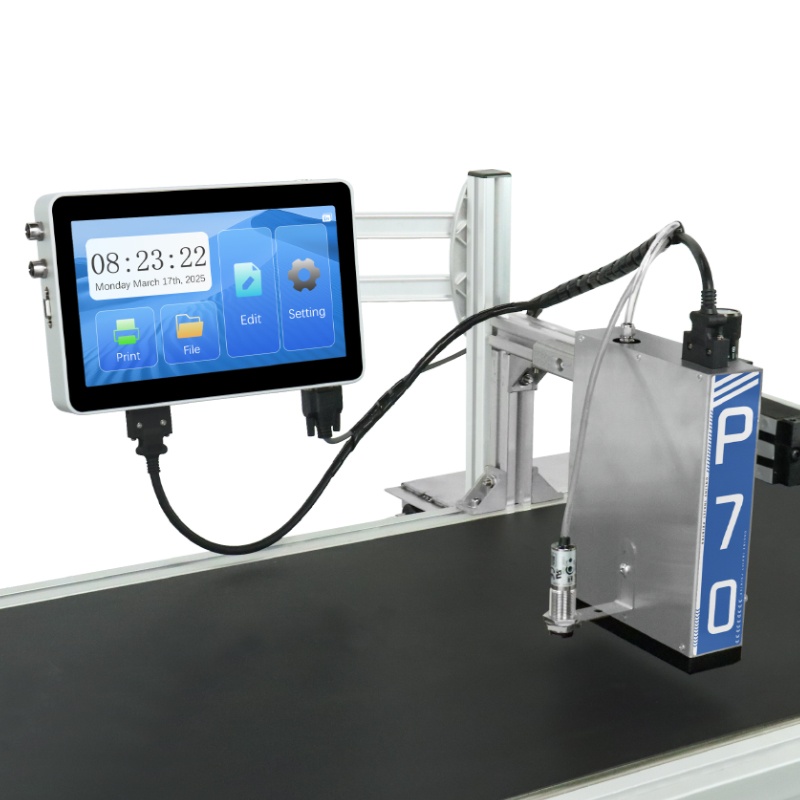
- Print speed 1-100m/min
- 180dpi print accuracy
- 3-71.8mm print height
The inkjet side of the comparison: wide print height and 180 dpi accuracy for large scannable codes on cartons and cases at line speed.
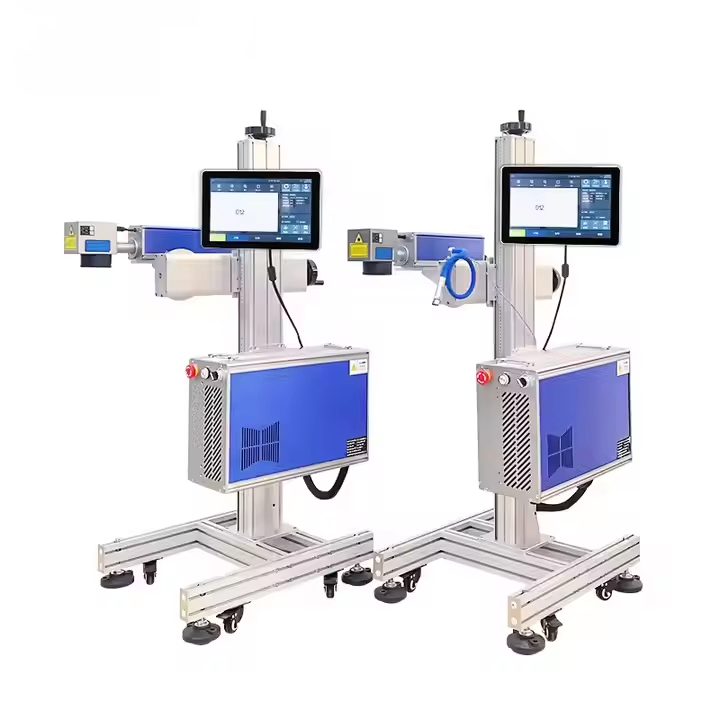
G-20 Fiber laser inkjet printer
- Laser output options from 20W to 100W
- Permanent marks on metal without consumables
- Air-cooled design for continuous duty
The laser side: permanent codes on metal and rigid plastic with no consumables in the marking process, which is where the running-cost argument comes from.
Related Questions
- What resolution do I need for a scannable barcode?
- Enough that each module is larger than your scanner’s minimum, with a clean quiet zone around the code. Small 2D codes need the highest resolution, which is why high-resolution inkjet and laser are specified for them rather than standard CIJ.
- Is laser or inkjet better for barcodes?
- Laser for permanent codes on metal and rigid plastic, where durability and near-zero running cost justify the entry price. Inkjet for cartons, labels, and packaging at speed, where the code only needs to survive distribution.
- Why do my printed barcodes fail to scan?
- Most often contrast, module size, or ink spread on a porous substrate. Check the quiet zone first, then contrast against the material, then resolution. Verify with a grader, because a code that looks sharp to the eye can still fail a scan standard.
Next Steps
- See the P70 Online inkjet printer and the G-20 laser marker for the two configurations compared above.
- Read the barcode printer manufacturer guide for how to verify a supplier once the technology is chosen.
- Send your artwork and material for a free scan-grade test. No commitment, reply within 24 hours.
Learn more about barcode symbologies and scan standards and ISO 9001 quality management.