Last Updated: 2026-10-06
The wrong marking technology is expensive in a way that surfaces late. Laser vs inkjet marking is really a substrate question: laser burns a permanent mark into the part, inkjet lays a code on the surface and lets it cure. Choose by what the part is made of and what the mark has to survive.
Laser vs Inkjet Marking at a Glance
The two technologies answer different questions. One changes the surface, the other adds to it, and almost every downstream difference follows from that:
| Dimension | Laser marking | Inkjet marking |
|---|---|---|
| How the mark is made | A focused beam alters the material itself | A drop of ink is placed and then dries or cures |
| Substrates | Metals and hard plastics | Board, film, metal, pipe and smooth plastic |
| Permanence | Survives abrasion and solvents | Depends on the ink grade for that surface |
| Consumables | None in normal use | Cartridges, quoted per code coverage |
| Colour | Single contrast on the part | Seven ink colors, including food-grade grades |
| Entry cost | Higher, concentrated in the source | Lower, spread across cartridges |
Where Each Technology Earns Its Place
A fiber laser marker writes into the part, so a code on a steel bracket or a machined housing cannot be washed off, rubbed off or painted over. That permanence is the whole reason to pay for it, and it is also its limit: the mark is only as readable as the contrast the material gives, and a dark plastic may barely respond at all.
An inkjet coder places a drop instead. That makes it far more flexible on packaging, where the surface is board, film or a coated carton and no beam will ever touch it, and it is the only one of the two that can print in colour or lay down a full data matrix and a readable date on one pass.
The weakness of inkjet is the mirror of its strength. Because the mark sits on the surface, the ink grade has to suit the substrate; the same cartridge that holds beautifully on board can bead on a sealed film. Test on your own packaging before you commit, not on a sample the supplier selected.
Choosing by Part, Not by Preference
Work down this list and the answer usually falls out on its own:
- The mark must outlive the part. Laser, on a material that contrasts with the beam.
- The surface is packaging. Inkjet, with a grade tested on that exact stock.
- Colour or a full date block is needed. Inkjet; laser gives one contrast on the part.
- Volume is high and the substrate varies. Inkjet usually integrates with less changeover.
- Both are in scope. Many lines run a laser for metal parts and an inkjet coder for the carton, which is a normal split rather than a compromise.
Every one of those decisions comes back to a sample test. ISO 9001 quality management is where a mark’s grade gets approved and recorded for your market, and the laser marking process explains why the same setting behaves differently across alloys.
Questions Buyers Ask
- Is laser always more permanent than inkjet?
- On a material that takes the beam, yes. On a coated board or a film it is not an option at all, so the comparison only applies on metal and hard plastic.
- Which one costs less to run?
- Laser has no consumables but a higher entry price; inkjet costs less up front and carries cartridge cost per code. Calculate both against your own annual volume.
- Can one machine do both jobs?
- Not in one head. The usual answer is two units on one line, a laser for the part and an inkjet coder for the carton or label.
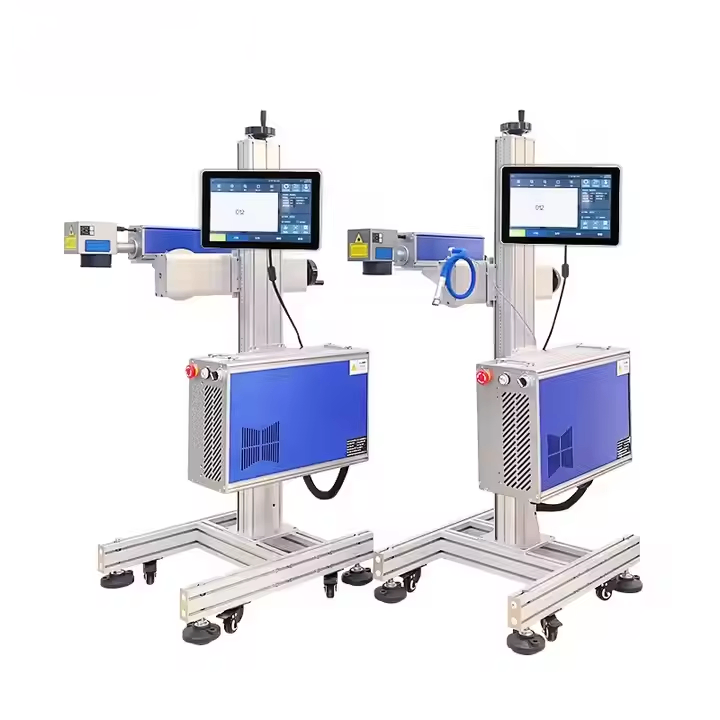
G-20 Fiber laser inkjet printer
the laser side, for parts that must keep the mark:
- Fiber laser output options from 20W to 100W
- Permanent marks on metal without consumables
- Air-cooled design for continuous duty
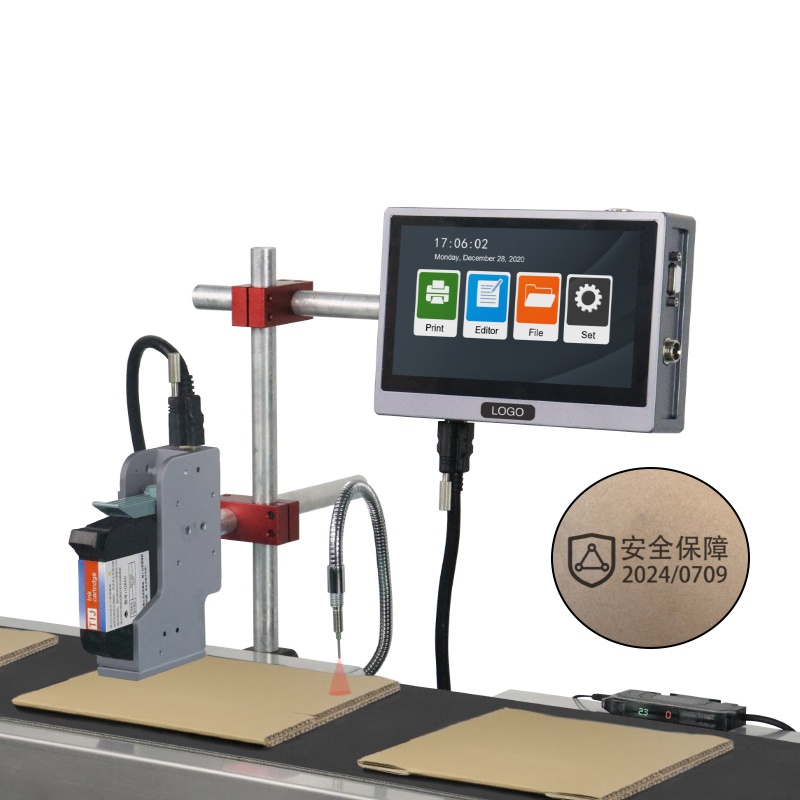
K20 online inkjet printer
the inkjet side, for packaging lines:
- Prints up to 120m/min
- 600dpi HD print accuracy
- 2-25.4mm print height
Next Steps
- Read next: which one you actually need for coding, the same question asked from the packaging side
- See both builds: G-20 Fiber laser inkjet printer and K20 online inkjet printer
- Talk to us: send one part and one carton through our contact page. We mark both and return the settings that worked, free of charge.