Last Updated: 2026-09-12
The laser marking machine best suited to your line is decided by the mark, not by the wattage label. A 20W source anneals a dark code on steel and a 100W source engraves hard alloy, but neither suits a carton or a cable jacket. Here is how the options compare.
Laser Marking Machine Comparison
Four options cover most marking decisions. The first three are wattage classes of one fiber laser technology, so which laser marking machine best fits a line is really a question about the mark; the fourth is the alternative to compare against before committing.
| Option | How it marks | Speed fit | Running cost | Best fit |
|---|---|---|---|---|
| Fiber laser, 20W class | A focused beam alters or removes a surface layer | Static and slow-conveyor work | No consumables | Annealed dark codes on steel |
| Fiber laser, 50W class | Same beam mechanism with more energy per pulse | Medium conveyor speed | No consumables | Deeper marks and harder alloys |
| Fiber laser, 100W class | High energy removal per pass | Faster lines and deep engraving | No consumables | Heavy hardware and extrusion parts |
| Continuous inkjet coder | A charged ink stream is deflected onto the product | Up to 400 m/min class | Ink, solvent and make-up | Non-metal substrates and fast lines |
What Each Option Actually Does
Fiber laser, 20W class. The beam is generated in a doped fiber, delivered in a sealed path and focused by a lens onto the part, the mechanism described in the public reference on fiber laser technology. At this output the usual result on steel is an annealed oxide mark: dark, smooth and permanent, with no material removed. It suits identification codes on housings, trays and fasteners.
Fiber laser, 50W class. More energy per pulse moves the mark from a colour change into shallow removal, which buys contrast on anodised aluminium and depth that survives handling and cleaning on tooling. Scan speed becomes the limit rather than source power, so galvanometer and lens selection matter as much as wattage.
Fiber laser, 100W class. At this output the machine removes material fast enough to engrave rather than mark, which is what deep serialisation on hardened parts needs, and it shortens cycle time on high-contrast marks. Air cooling holds continuous duty without a chiller on most configurations.
Continuous inkjet. This is not a laser and should not be compared as one. A CIJ coder fires a charged stream of ink droplets through an electric field and deflects the ones it does not need, so the head never touches the product and can throw 3-30 mm. It prints on film, board, glass and cable jacket alike, and holds a code at speeds a galvanometer cannot follow. The trade is consumables: ink, solvent and make-up fluid, plus filter and pump service.
Which One Fits Your Line
Work through these five in order. The first “no” tells you to reconsider the technology, not the wattage.
| Question | If yes | If no |
|---|---|---|
| Is the substrate metal? | Continue with fiber laser | Compare continuous inkjet first |
| Must the mark resist abrasion? | Laser, no consumables | Ink may be cheaper to run |
| Is the mark a colour change rather than a depth? | 20W class is normally enough | Move to 50W or 100W |
| Does the line run faster than a static station? | Check scan speed and fixturing | A bench or slow-conveyor unit is fine |
| Is the part geometry varied? | Ask about fixture and focus | A standard lens covers it |
Two buying notes. Specify the mark before the machine: send the material, the code content, the contrast and the cycle time, and let the wattage follow. And the laser marking machine top of any shortlist should be the supplier who marks your actual part before you order, because material response varies more than source specifications do. Ask them to confirm ISO 9001 quality management certification.
Two Machines to Compare
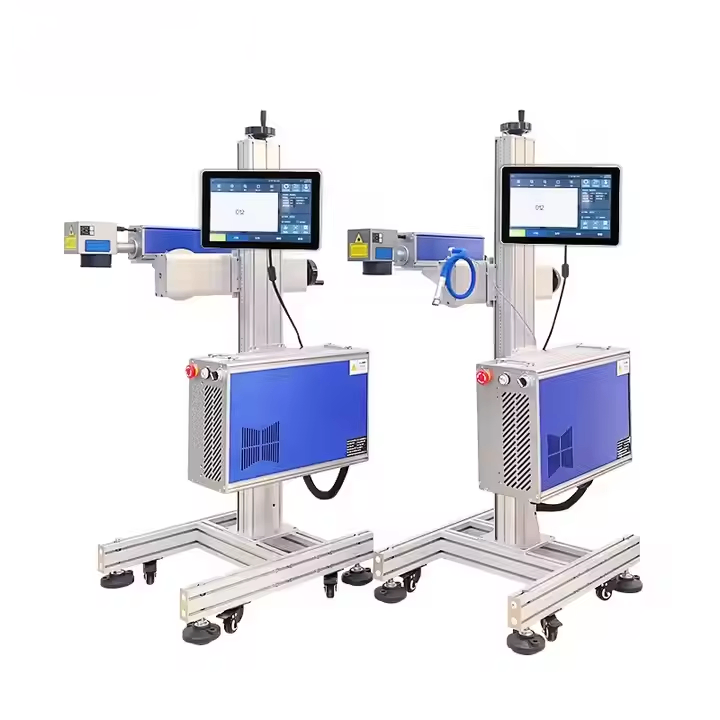
G-20 Fiber laser inkjet printer
The fiber laser option, offered across a wattage range rather than a single fixed output:
- Fiber laser output options from 20W to 100W
- Permanent marks on metal without consumables
- Air-cooled design for continuous duty
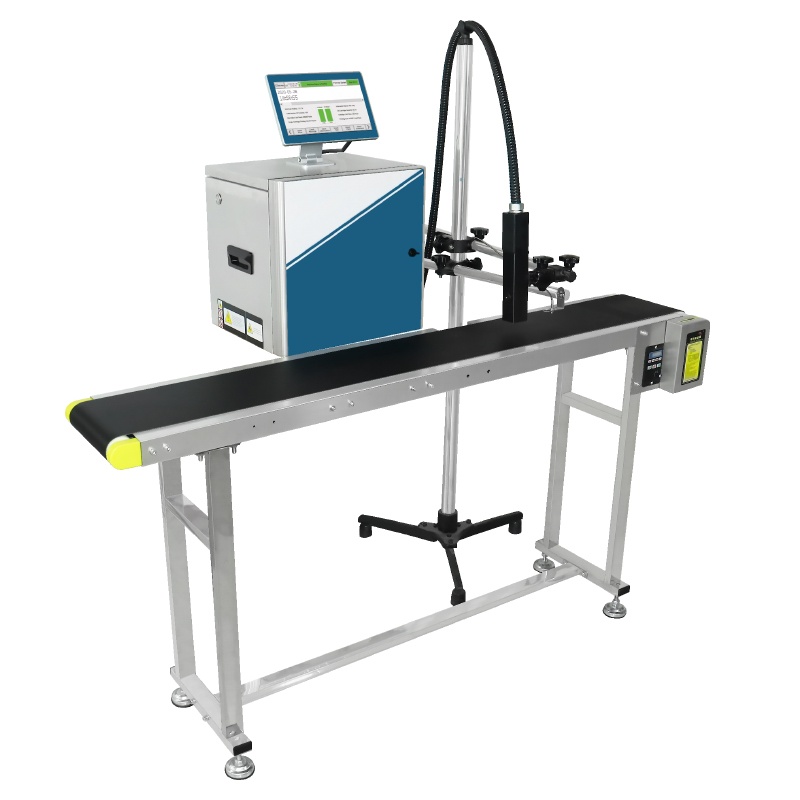
S1000 small character inkjet printer
The continuous inkjet alternative, for non-metal substrates and very fast lines:
- Prints up to 400 Meters Per Minute
- 3-30mm throw distance
- 2-20mm print height
Related Questions
- What is the best laser marking machine wattage for metal?
- For annealed or dark surface marks on steel and stainless, a lower wattage fiber source is usually enough. Where you need depth, or you mark hard alloys at speed, move up the range. The G-20 is offered from 20W to 100W so the source is matched to the mark rather than to a fixed model.
- Is a laser marking machine better than an inkjet coder?
- They solve different problems. A fiber laser puts a permanent mark on metal with no consumables, while a continuous inkjet coder throws 3-30 mm and prints on almost any surface at very high line speed. Choose by substrate first and permanence second.
- Which laser marking machine best suits a fast line, 50W or 100W?
- It depends on mark depth. Higher output removes material faster, so deep marks finish sooner, but galvanometer scan speed, the lens and the material response set the practical limit. On shallow marks at speed a bigger source often changes nothing, and 50W is the usual answer.
Next Steps
- If the substrate is not metal, read why you would pick an ink marking machine over laser before sizing a source.
- If you have settled on laser, see how to choose a laser marking machine manufacturer and how to verify a laser marking machine supplier.
- Send the material, the code content and the cycle time to +86 17625427465 or kuangcy@126.com. A SHICAI engineer returns a wattage recommendation and a quotation within 24 hours; sample marking on your part is free, with no commitment.