Last Updated: 2026-10-10
A barcode printer with conveyor is bought for the trigger, not for the head. Four rules decide whether a code lands in the same place on every pack, and the head is rarely the part that fails on a line that never stops.
What a Barcode Printer With Conveyor Has to Solve
A stationary coder waits for the pack. A conveyor does not. The belt runs at a set speed, the gap between packs varies, and the head holds a window measured in milliseconds to place a code a scanner will accept. Everything that follows is a consequence of that window.
That is why a conveyor job is specified around the trigger and the encoder far more than around resolution. A sharp head with a late trigger prints a clean barcode on the wrong part of the carton, and the scanner returns the same failure as it would for a blurred one.
Three Things That Shift Once the Pack Moves
Three settings stop being operator habits and become machine settings:
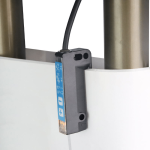
- A trigger replaces the hand Timing moves from a button to a photocell or an encoder pulse, so the code begins wherever the sensor sees an edge.
- Speed becomes a hard limit The same head has less time per character at 60 m/min than at 20 m/min, and that difference is paid in resolution rather than in ink.
- Direction becomes visible A barcode printed the wrong way along the belt is unreadable even when every bar is clean and sharp.
None of the three is a print setting in the ordinary sense; all three are fixed when the frame is commissioned.
Four Trigger and Speed Rules
Weigh each rule against a line you already run:
| Rule | What it prevents | Where a weak setting shows |
|---|---|---|
| Trigger at the pack edge, not the gap | A code that starts on air | A barcode that lands half off the flap |
| Encoder linked to belt speed | A code that stretches as the line speeds up | Print that is fine at low speed and unreadable at full |
| Bar height sized to the speed window | A barcode squeezed at full speed | A scan that fails only on the fastest line |
| Head set square to the belt | A code that reads one way only | A scanner that needs the carton turned by hand |
The first two rules are wiring rather than print settings, so they are settled before a head is chosen. GS1 barcode standards define how a symbol is built so another party can scan it, and ISO 9001 quality management is the frame in which the code on your pack is approved and recorded.
How SHICAI Sets Up a Conveyor Job
SHICAI builds inline conveyor frames for export packers, and every barcode printer with conveyor customers run is commissioned against the belt speed and pack pitch they actually use. Head height is set to the tallest pack in the run, and the trigger is positioned on the real line.
A barcode printer high speed enough for a packing hall still has to hold its place at full line rate, so the frame below is set from a 4.3-inch touch screen and the head prints at 300-600dpi across a 2-12.7 mm height. The frame weighs 3.0 kg, light enough to move between two belts, and ink comes in food-grade, water-based and oil-based grades from a 42 ml cartridge.
Questions From a Running Line
- Why does a barcode land in a different spot on each pack?
- Almost always the trigger. A sensor aimed at the gap sees an edge at a different moment than one aimed at the pack body, so the code drifts with the gap.
- Do I need an encoder, or is a photocell enough?
- A photocell places the code; an encoder keeps its width constant as the belt speed changes. A line that never changes speed can live with the photocell alone.
- Can the same head print a barcode and a date block on a moving pack?
- Yes, within the 2-12.7 mm height. Both are stored as one format so they stay in register at any line speed.
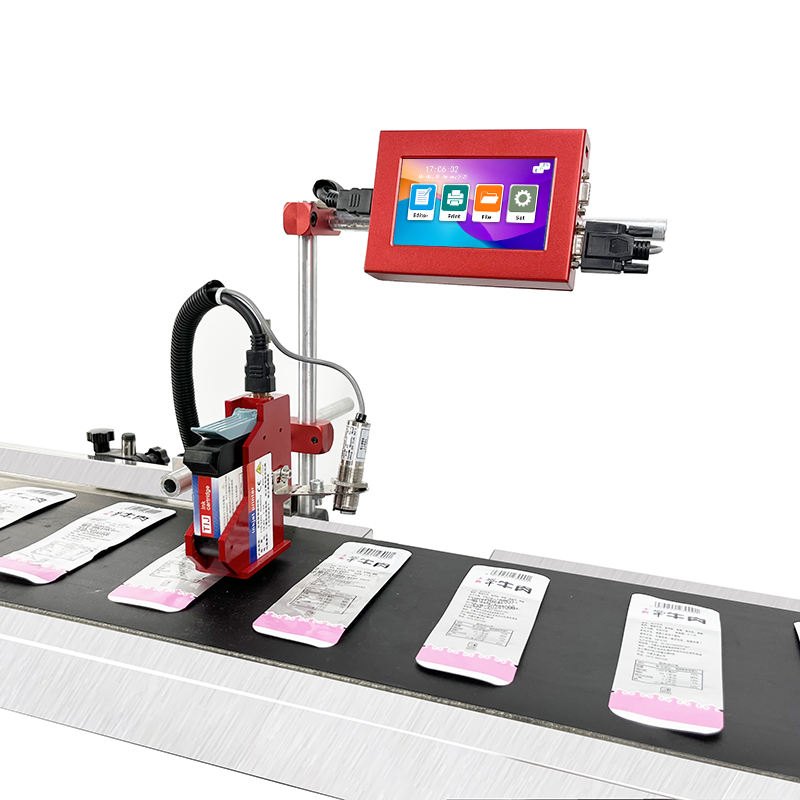
Y110 Online inkjet printer
the light frame for two belts and a changing pack:
- 300-600dpi print accuracy
- 2-12.7mm print height
- Weighs only 3.0 kg
Check Your Own Line
- See the machine: Y110 Online inkjet printer
- Read next: what splicing does to a conveyor code, which settles the trigger position
- Talk to us: send the belt speed and the pack pitch through our contact page. We return the trigger setting for your line, free of charge.